How a simple trick can save a lot of time when building automations with Ada
Using the intelligence of Ada
Updated on 1/9/2025

Welcome to the future of automation with Ada, your AI Automation Developer! Ada's seamless and intuitive interface empowers you to transform your workflows with ease and efficiency. To help you get the most out of Ada, we will regularly share new tips & tricks on how to use Ada.
Tip: Use Ada’s understanding of your UI for Accurate Automation
Creating automations often means mapping a lot of fields between different applications. This creates a higher risk for errors and is just tedious. Ada can understand and read the UI that you are working with. So, when creating a new automation, there is no need to mark every single data point and input field.
As Ada can work with almost any UI, for example, large lists, tables, or forms. Just mark the entire section for the best results
Let’s show you an example:
- Imagine you have to transfer data between two forms.
- Before Ada: You would mark and map every single field individually while also describing required transformations.
- With Ada: Just mark the complete input and destination section, clarify some context questions, and Ada will do the rest.
From there on, Ada builds the automation and there you go!
Take a look at the image, which shows a wholly marked UI section in SAP:
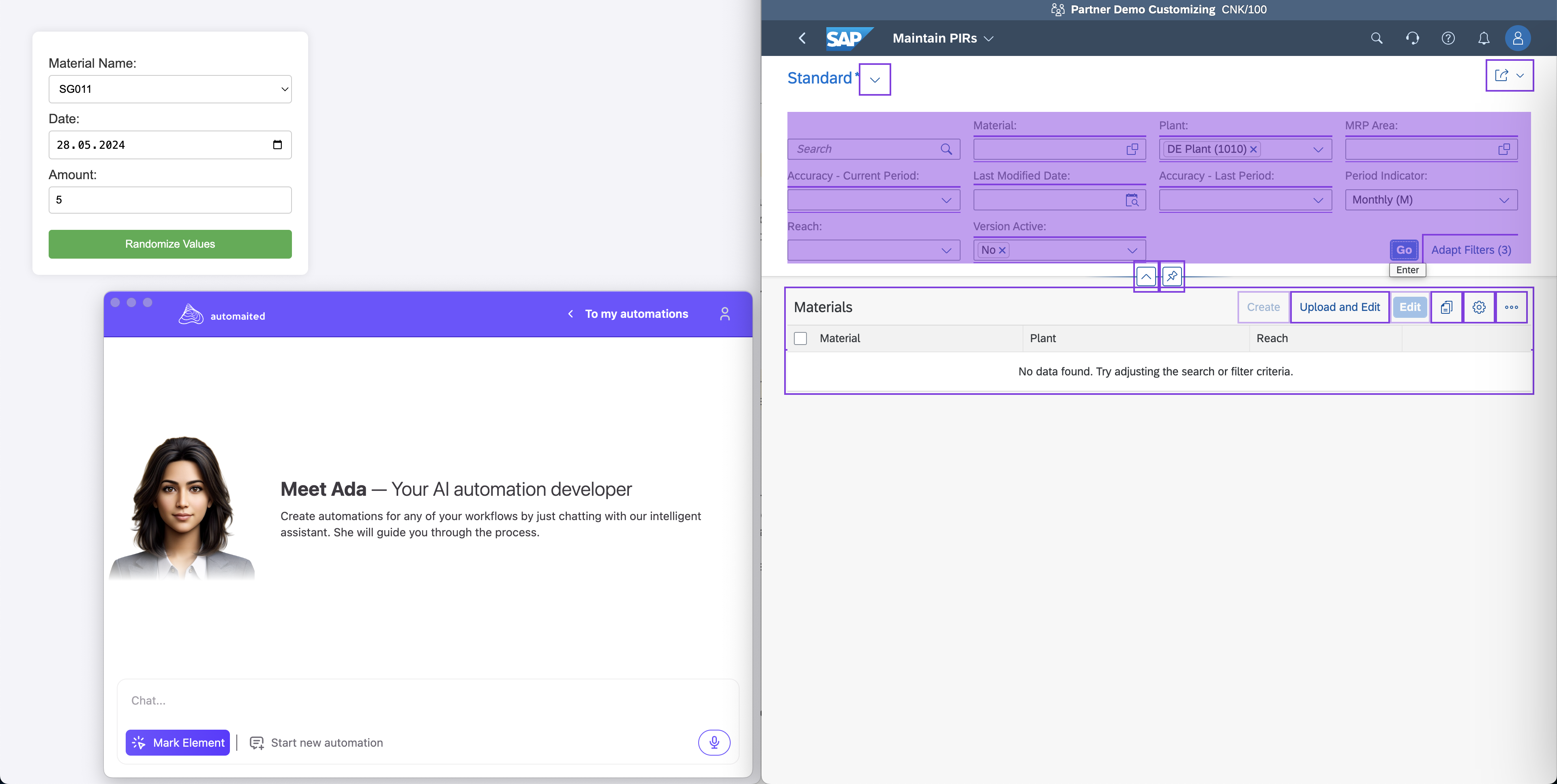
That simple? Yes!
Ada’s intelligence enables you to work with more:
- Precision: Ensuring the whole section is marked provides Ada with necessary context, reducing errors.
- Efficiency: Not having to break down tasks into smaller steps ensures smooth and quick automation.
- Clarity: By explicitly defining actions through the chat function, you can better explain and guide your automation process.
By following this simple tip, you’ll be well on your way to harnessing the full power of Ada, ensuring your workflows are efficient, reliable, and fully automated. Happy automating!
For more information and additional tips, visit our blog.